
Thinking about using lemlist for your LinkedIn outreach or cold emails? In this Lemlist review, I’m breaking down what’s hot, what’s not, and whether it’s worth your time.
I’ll walk you through its automation, personalization, and integratioƒns – plus the stuff that might make you think twice.
Read on to find out if this tool is a match or a pass for your outreach strategies.
Lemlist at a glance
Lemlist may started as an email software, back in the day, but it developed to a full blown sales engagement platform designed to help automate and personalize cold outreach through email, LinkedIn, and calls.
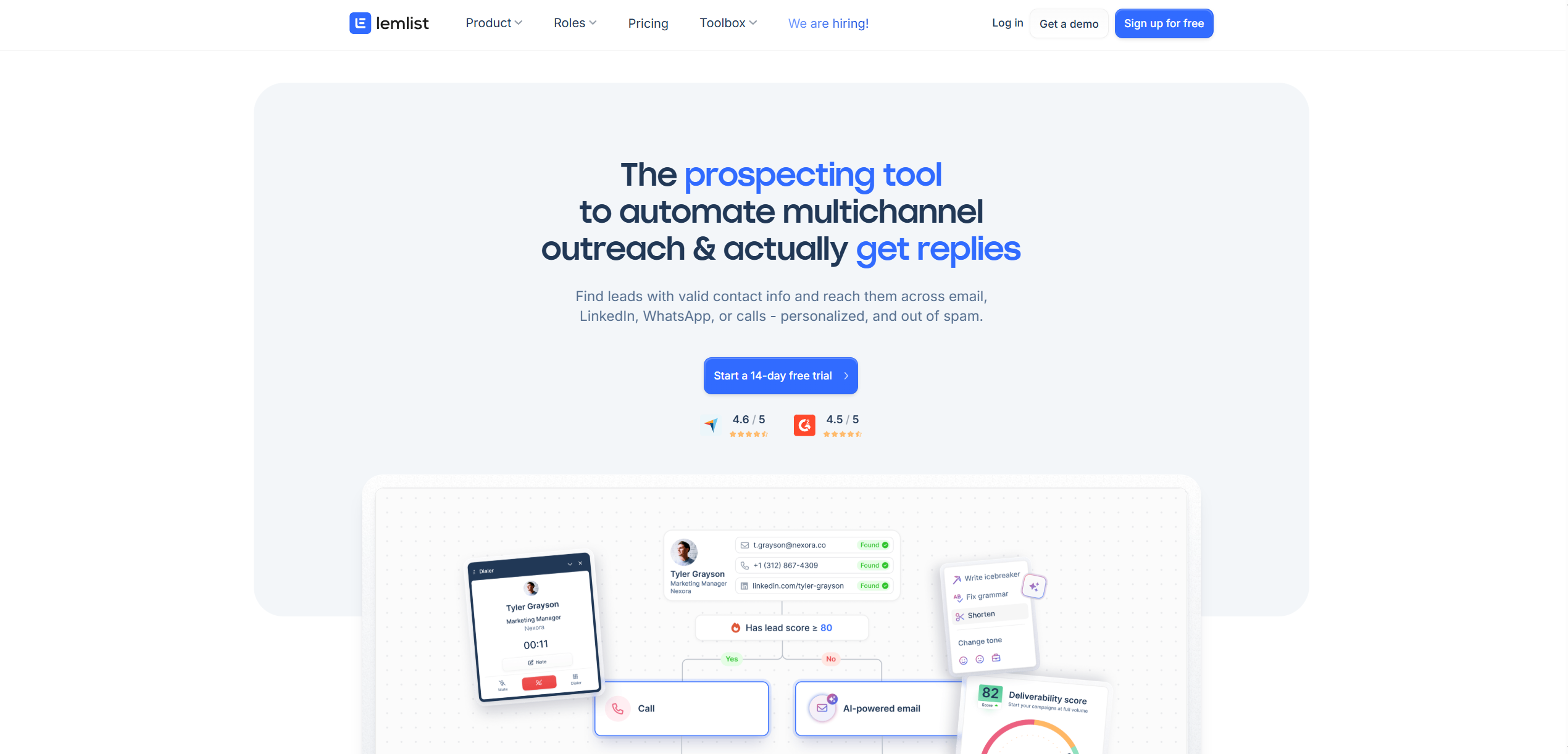
Their key features promise to help you optimize every stage of your lead generation funnel.
There’s an email warm-up feature aka lemwarm for improving deliverability of email campaigns + a unified inbox to keep all your replies in one place.
The best part? Personalization.
You can send customized messages at scale with AI-generated sequences, dynamic variables, and even personalized images and videos.
Advanced conditions let you follow up based on how the recipient reacts, so you’re always reaching out at the right moment.
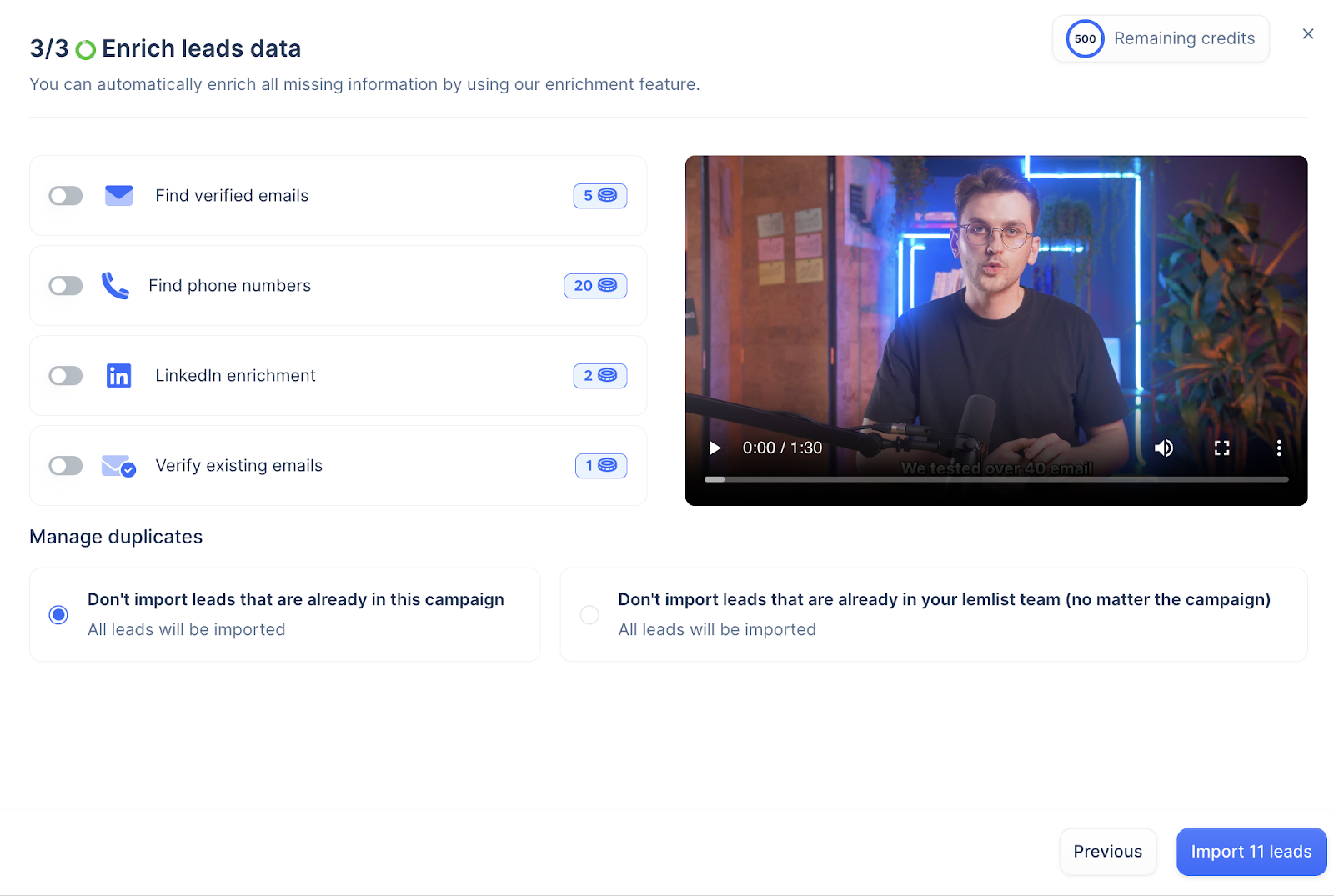
When creating a campaign, you can import your list from a CSV, CRM(lemlist integrates with Zapier, HubSpot, Pipedrive, SalesForce — just to name a few), LinkedIn or add it manually. And you put it all together in literally three steps.
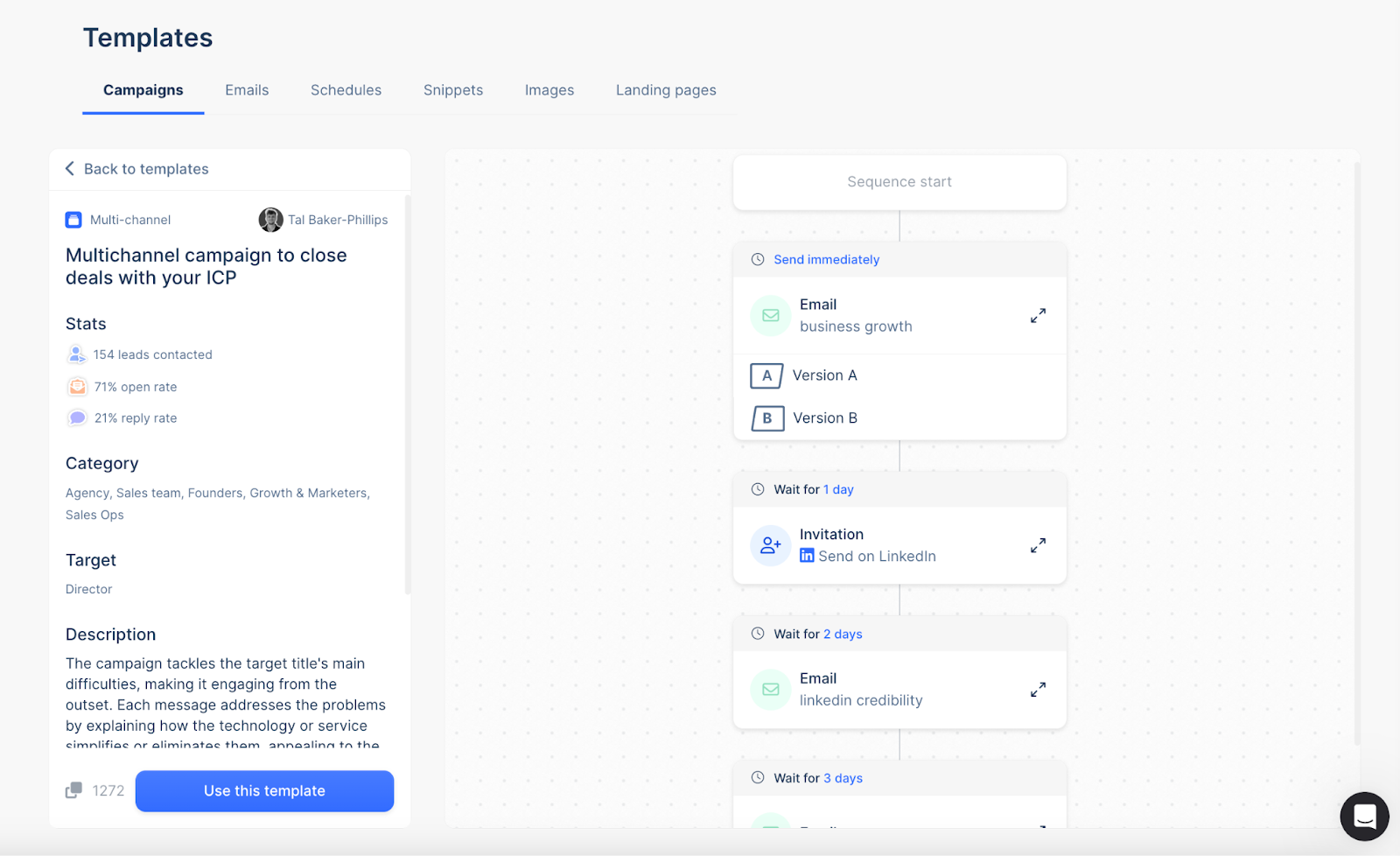
The templates are great, too. They come with A/B versions (for testing your subject lines, content, and CTAs), which help test different approaches and figure out what improves response rates.
It also lets you create personalized templates based on your needs, with options for emails, schedules, snippets, images, and pages.
User reviews on G2 show that people also highly appreciate lemlist’s wide library of tutorials, use cases, and guides in general — it’s especially beneficial for beginners.
Pros:
- Prospecting is easy with built-in data validation and enrichment for your B2B database.
- You can reach prospects via email, LinkedIn, SMS, or calls.
- Tracking and testing are simple, giving you clear insights into campaign performance.
- AI features like sequences and prompts give your outreach a sleek, easy upgrade.
Cons:
- It’s on the pricier side + lemwarm is only free with higher plans, making it more expensive for those on a tight budget.
- It’s mostly easy to use, but sequences and automation might need a bit of a learning curve at first.
Lemlist feature overview
If you’re in sales or marketing, Lemlist can be a huge help – all thanks to 450 million verified contacts, smart enrichment tools, and key personalization features. I mean they even beat Apollo with 270M+ contacts.
Top it off with email warm-up, email finder, inbox rotation, and behavior-based follow-ups to keep your campaigns on point.
User friendly interface would be a cherry on the top, but some users say it gets chunky as you move along to the more advanced features.
Here’s the breakdown of the features that make it worth exploring. 👇
1. Multichannel outreach
Lemlist makes multichannel outreach simple by allowing you to create sequences that span across multiple platforms.
By integrating these touchpoints, you can connect with leads in the ways they prefer.
You can also set up sequences that range from slower-paced campaigns over a month to faster follow-ups within two weeks.
Here’s what I recommend for multichannel outreach with lemlist:
- Start by visiting LinkedIn profiles and sending invites to build context. Limit to 20 invites daily.
- Follow up with a LinkedIn message or voice message (lemlist has this option now) to connect or share info.
- Call leads and leave a voicemail if they don’t answer, mentioning an upcoming email.
- Send personalized, automated emails to share info and create follow-up opportunities.
- Engage with prospects on LinkedIn or X by leaving comment and adding notes, and track all responses in one inbox.
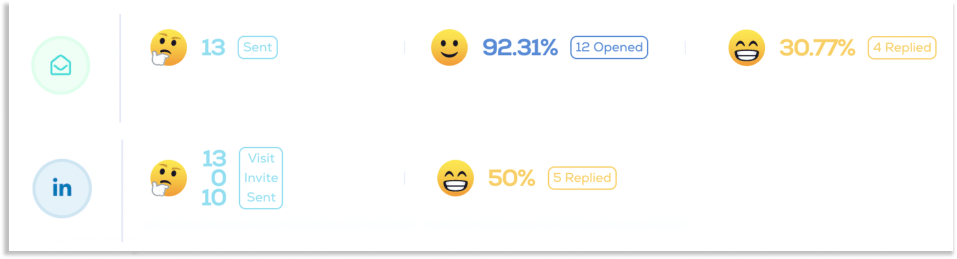
Lemlist makes tracking multichannel outreach results cool and super easy.
Emojis help visualize visits, invites sent, open rates, click-through rates, and reply rates.
Everything is neatly separated by each channel:
Another cool thing is lemlist’s ability to set advanced conditions for each channel.
That means you can create personalized outreach campaigns based on your leads’ actions and info.
To add conditions, just switch from “steps” to “conditions” in the campaign builder.
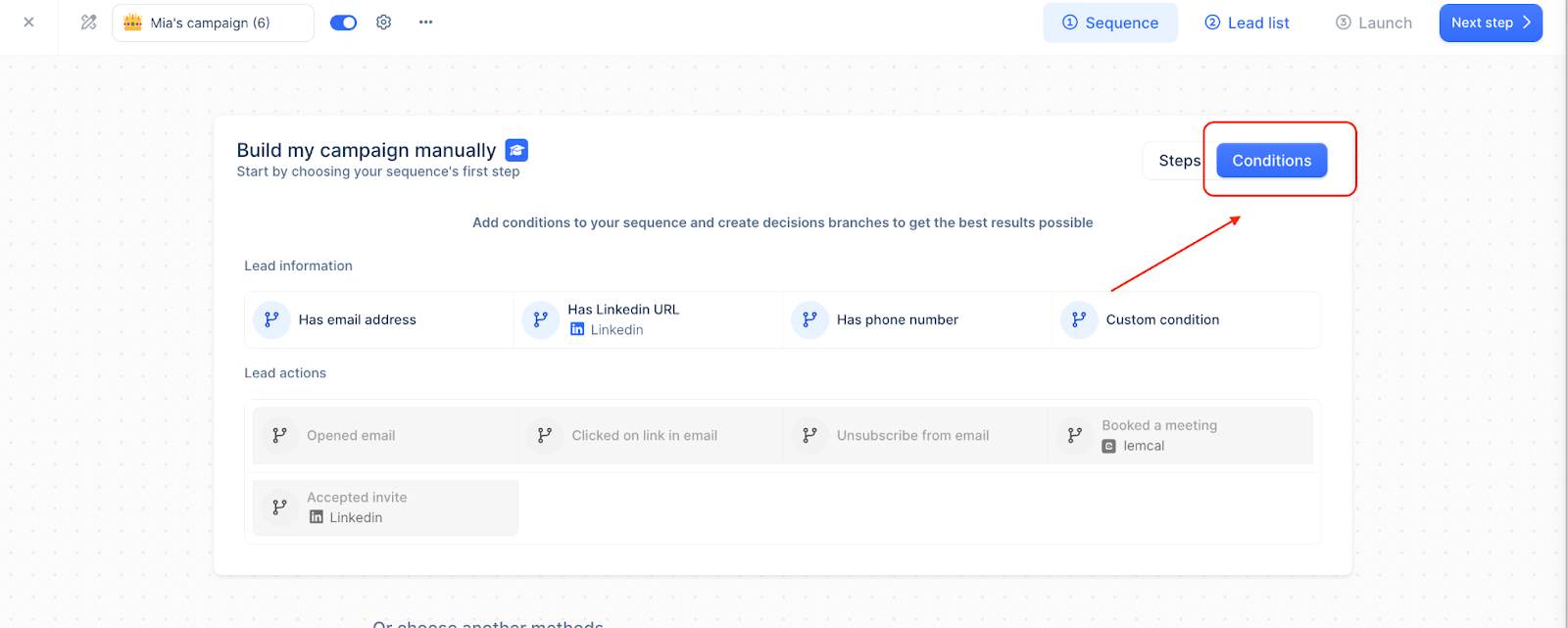
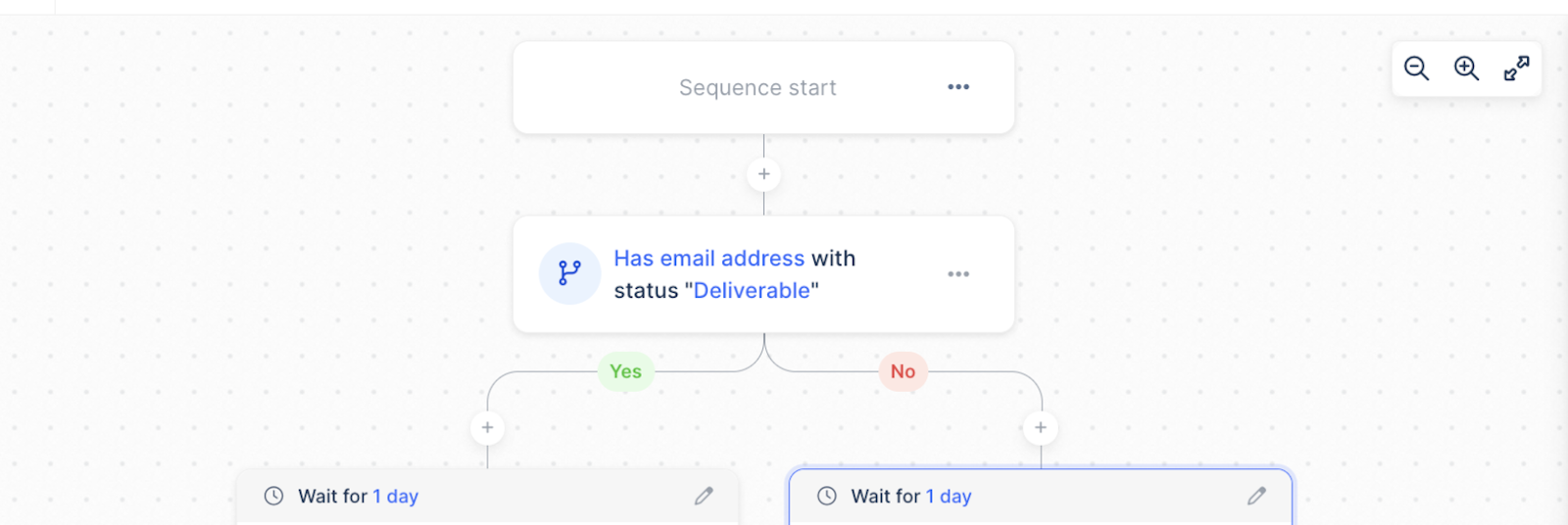
For example, you can set triggers that react to things like whether a lead opens an email or accepts a LinkedIn invite.
This lets you customize follow-up steps, making your outreach more timely and relevant.
The warm-up feature is another huge plus, especially when it comes to email deliverability. Lemlist slowly warms up your email accounts by sending low-volume emails and ramping up gradually, mimicking natural activity.
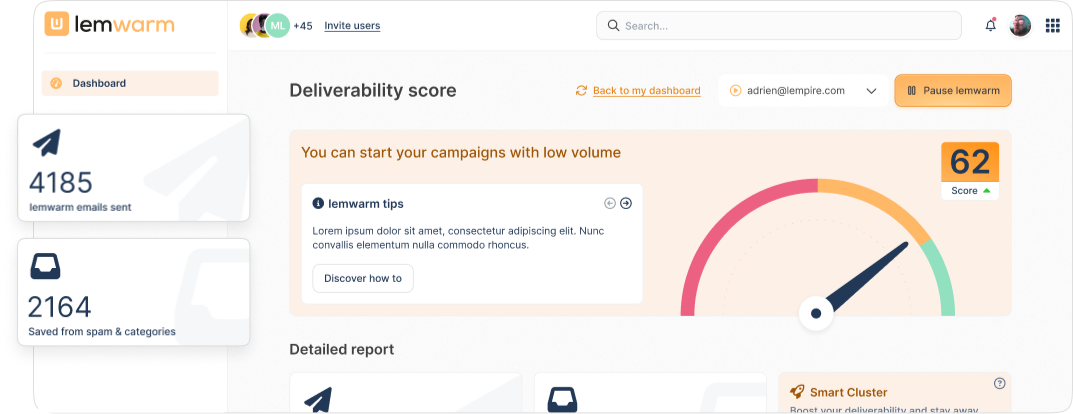
By setting up your email correctly, monitoring your deliverability score, and placing you in a network of real senders, lemwarm improves open rates, reduces bounces, and prevents blacklisting.
Using lemwarm before, during, and after sending campaigns keeps your deliverability high. The initial warm-up takes 3-4 weeks, but for long-term results, it’s best to keep it running. This way, your emails consistently land where they should.
2. Prospecting
With access to a massive database of over 450 million contacts and 63 million companies, you can quickly find and filter potential buyers that match your ICP.
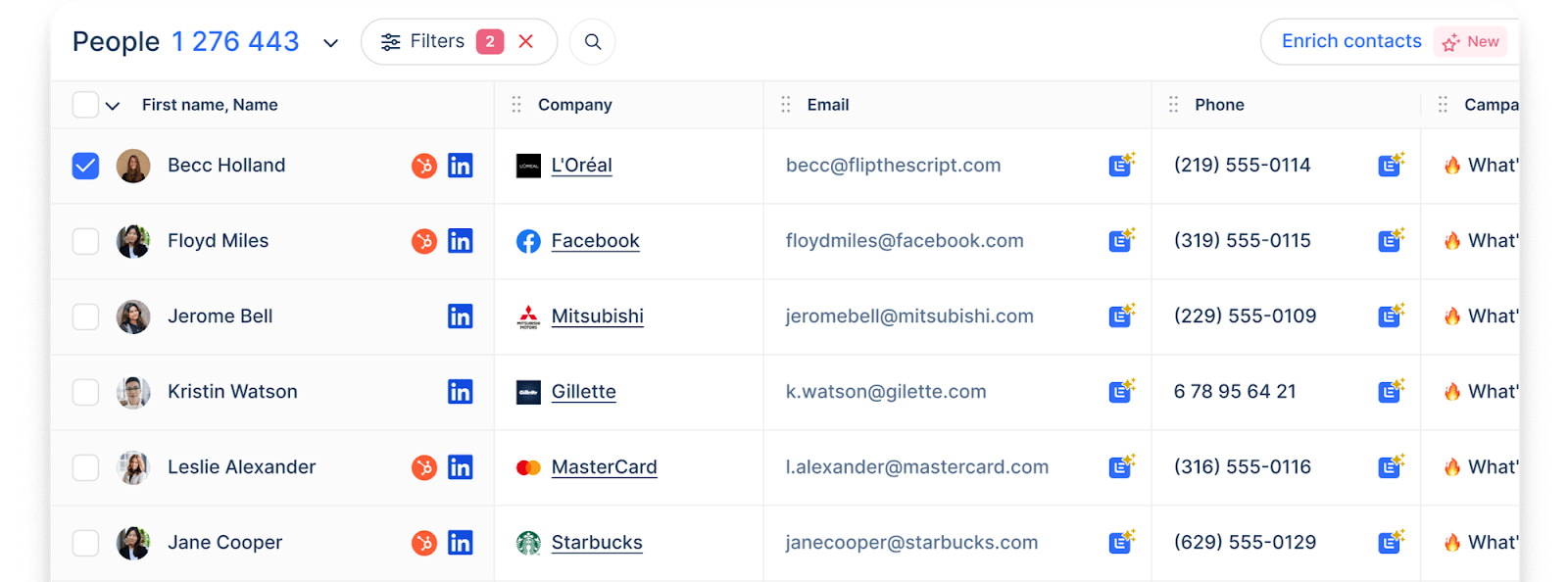
Lemlist lets you refine your search with filters like company revenue, tech stack, and funding so you can target the right people with the most relevant messages.
Once you’ve found the right prospects, you can enrich their profiles with a single click, pulling verified contact details like emails and phone numbers from top providers.
Use advanced filters to track signals such as company growth or hiring trends. From there, you can launch multichannel campaigns via email, LinkedIn, and cold calling.
3. AI features
Instead of being a robotic spammer or wasting hours doing it manually, Lemlist helps you automate smart, targeted cold email outreach with a few slick features:
AI variables
- AI segments your leads by industry, location, position, and other key details.
- Automatically generates personalized icebreakers and emails in any language.
- Cleans up messy data – fixing job titles, formatting company names, and removing unnecessary emojis.
AI-powered campaign sequences
- Enter your campaign goal and value proposition and AI will build a complete multichannel sequence for you.
- The sequence structure and messaging are based on insights from millions of successful outreach campaigns sent by real users.
AI-optimized messaging
Just “ask AI” to:
- Fix grammar mistakes
- Shorten long-winded copy
- Adjust the tone to match your audience
AI-driven interest detection
- AI analyzes replies to spot warm leads automatically.
- Interested leads get labeled instantly, so you can prioritize follow-ups without sifting through inbox clutter.
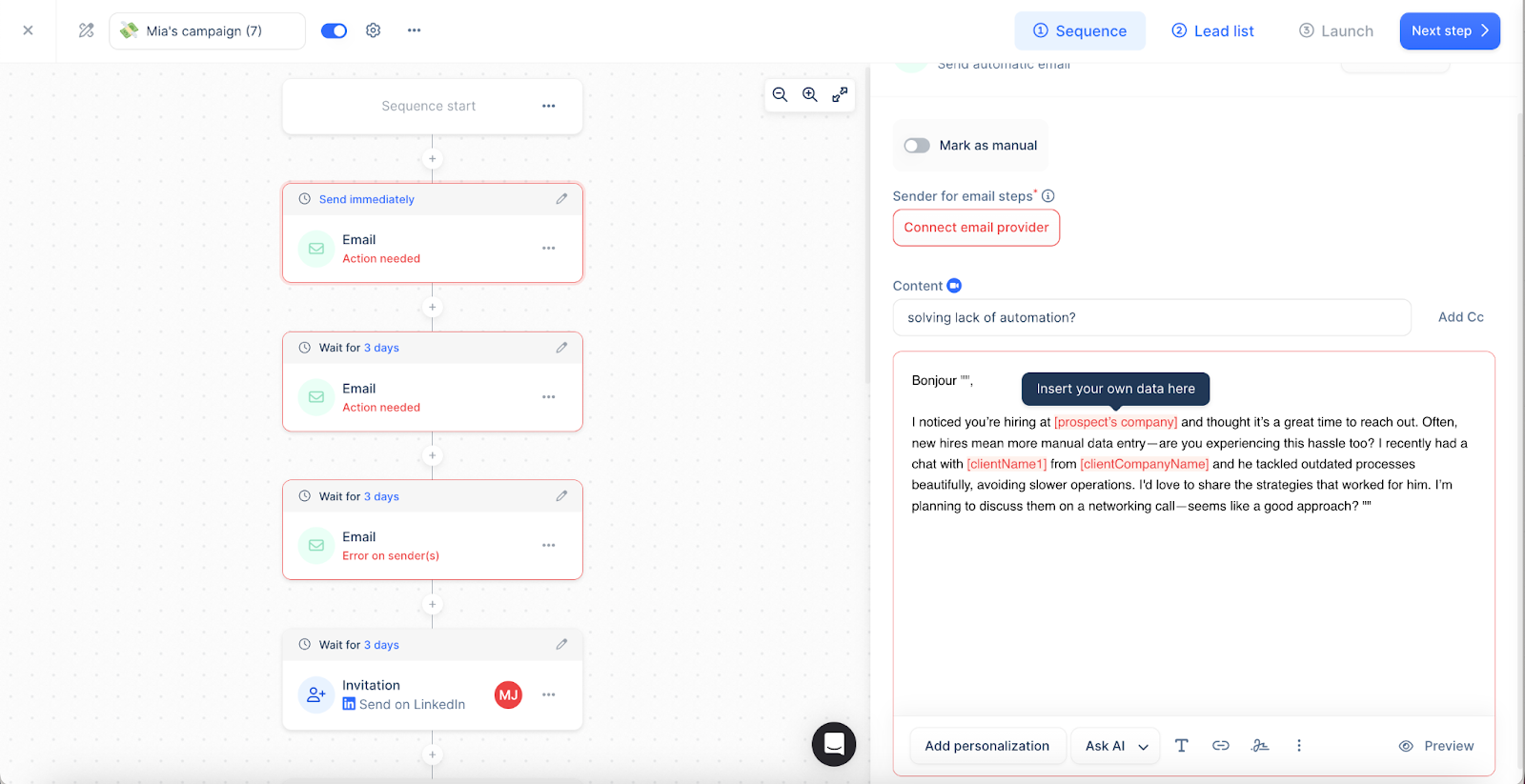
Honestly, I mostly liked the AI sequence help. AI asked for my target audience, value proposition, and preferred tone. That’s it.
Within seconds, it generated a full multichannel sequence – emails, LinkedIn touches, and follow-ups.
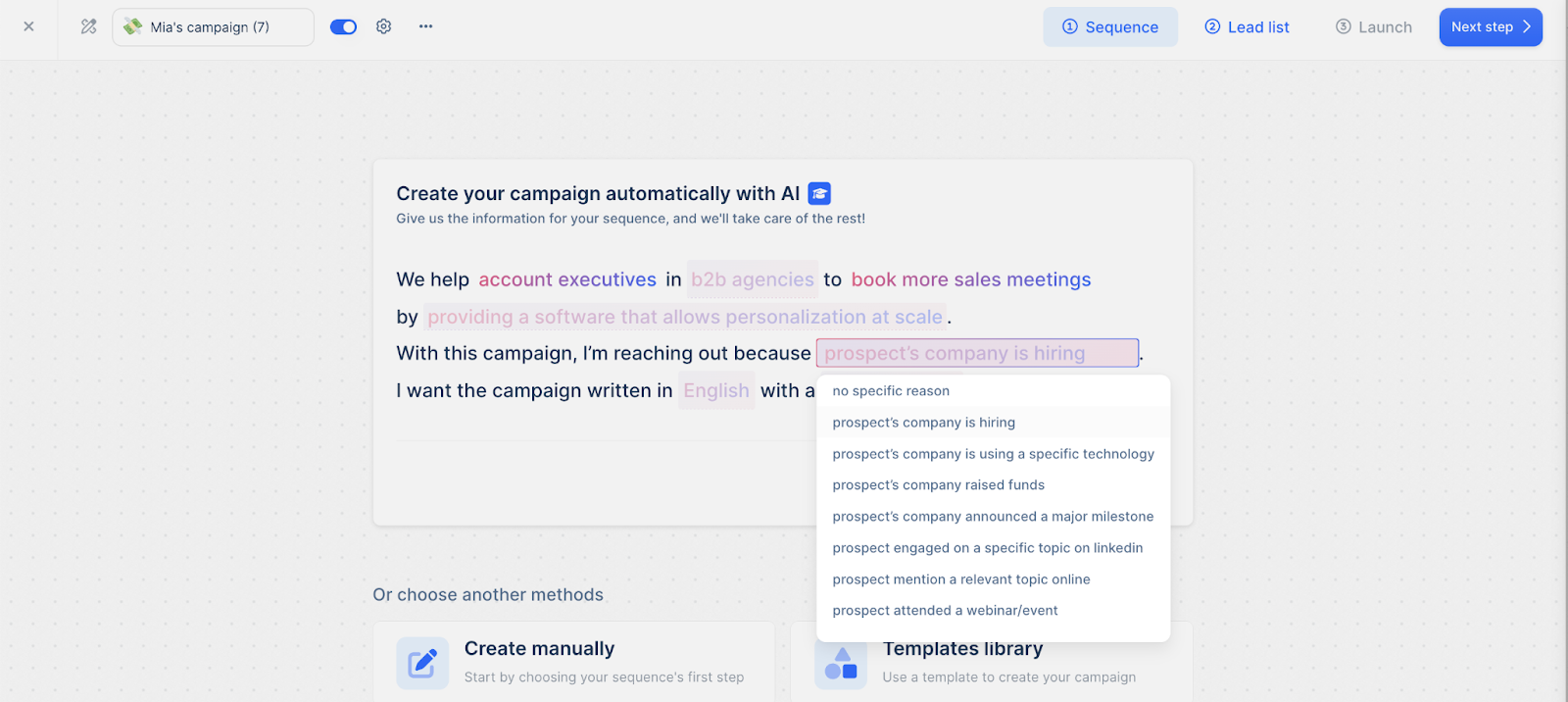
The messaging was concise, personalized, and structured based on top-performing outreach patterns. I tweaked a few lines, but overall, AI nailed it.
4. Unified inbox
lemlist’s unified Inbox keeps multichannel outreach super organized.
No matter where a lead replies – different email accounts, LinkedIn, or other channels – it all shows up in a single thread.
Also, finding past conversations is easy. If you need to reference a specific interaction before replying, the search function pulls it up instantly.
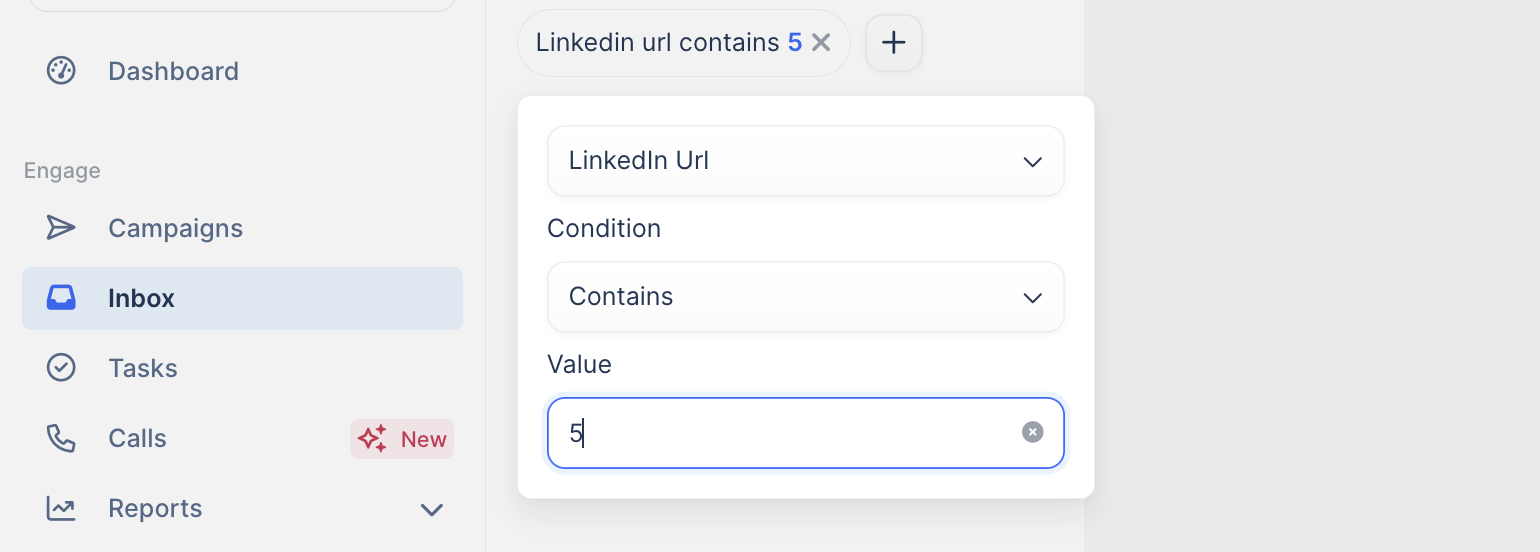
You can reply directly from the right email account or channel without switching tools. That’s a huge time-saver.
If you’re working with a team, you can track who’s already engaged with a lead, assign tasks, and keep outreach aligned without stepping on each other’s toes.
You can also send messages on behalf of someone else if they have an assigned seat on your team and their email or LinkedIn account is connected.
Manage leads easily with filters, tags, and statuses like “Interested,” “Unsubscribed,” or “Not interested.”
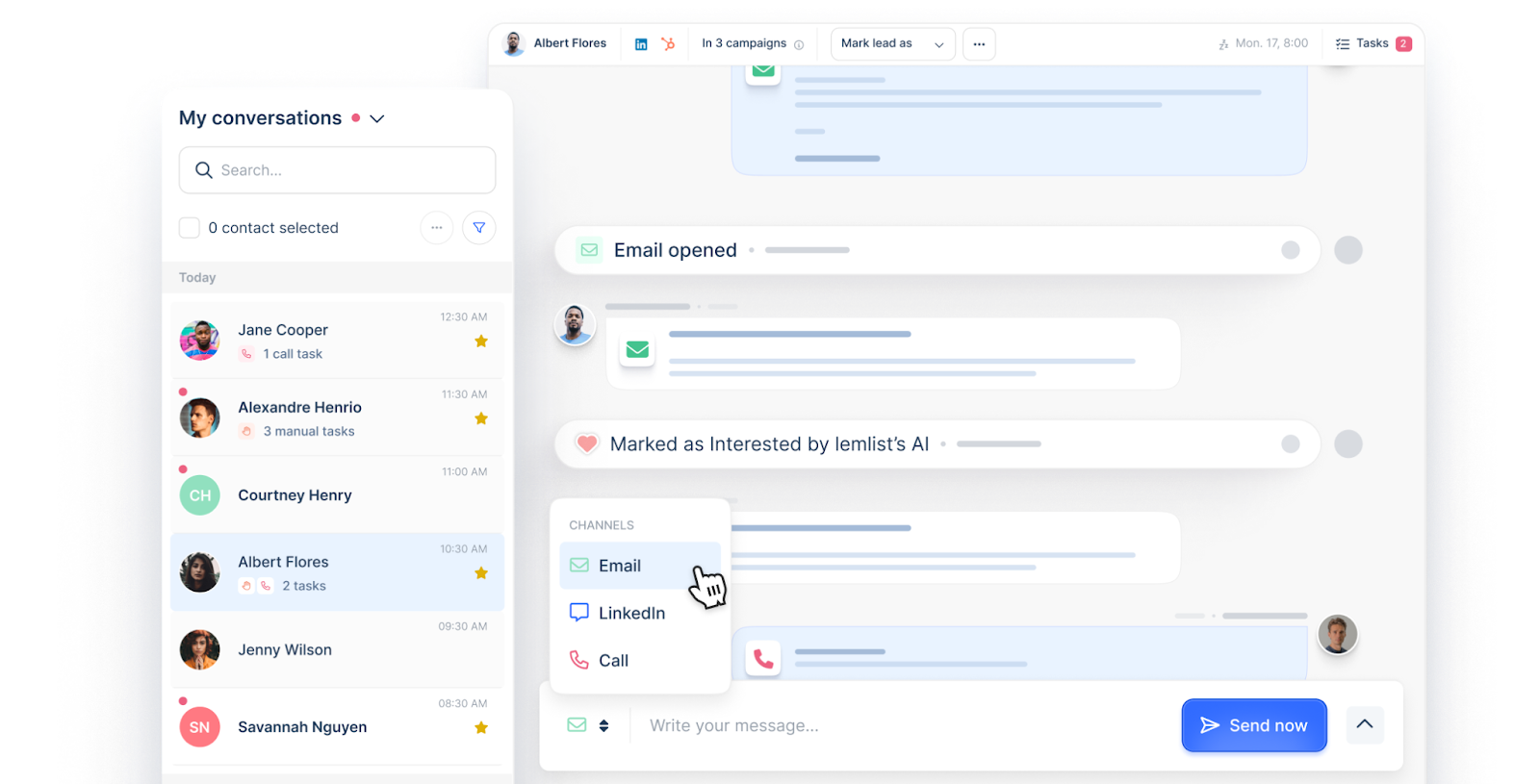
The whole inbox dashboard helps you stay organized by tagging contacts based on their lifecycle stage (e.g., new lead, customer) to prioritize responses.
It lets you track email opens, link clicks, and replies.
You can connect up to 15 email accounts, depending on your lemlist plan.
5. Tracking and testing
Lemlist’s reporting hub is an all-in-one dashboard for tracking and optimizing campaign performance. You can build custom report tabs to save and revisit your favorite data views without starting over.
Here are some widget highlights:
- Messages over time: Visualize how many emails or LinkedIn messages went out during your chosen period.
- Activity breakdown: Toggle between different channels (email, LinkedIn, phone) to see daily, weekly, or monthly activity totals
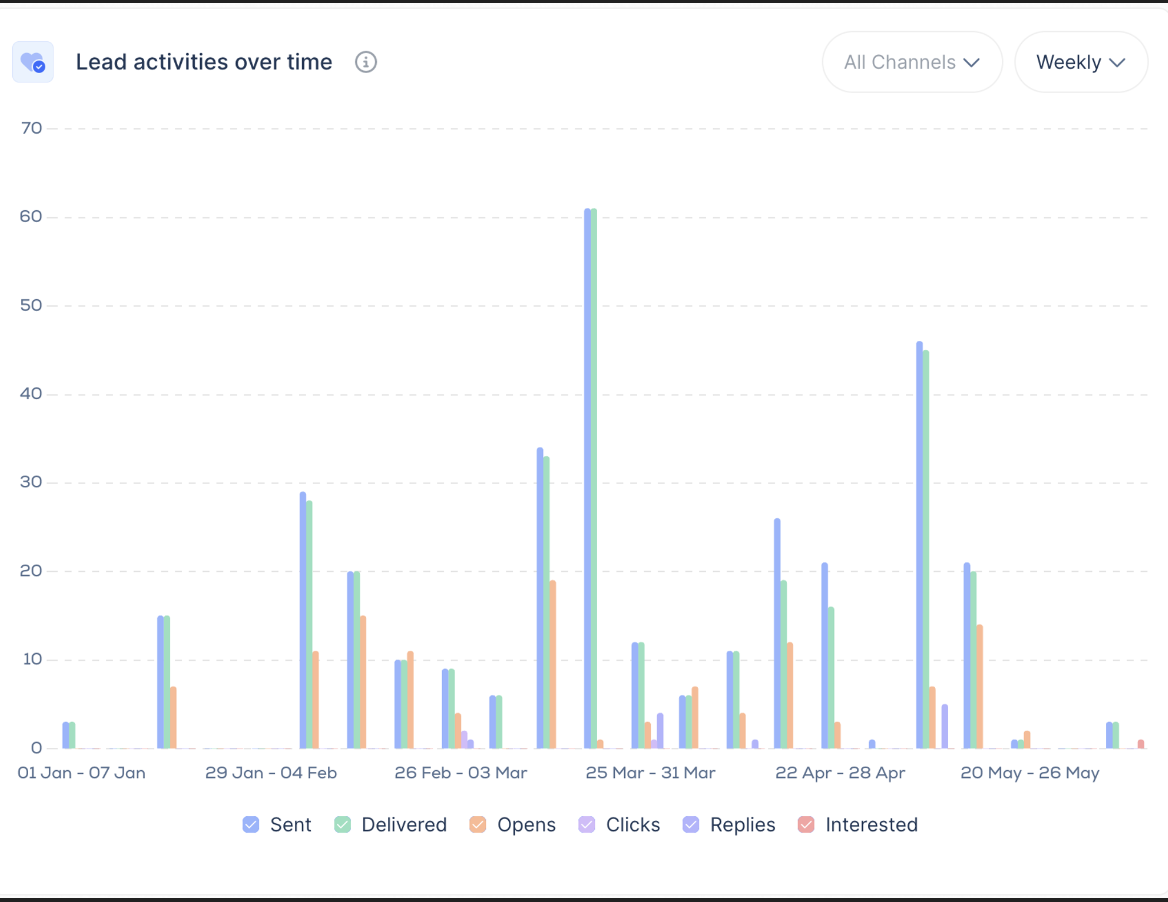
- Lead engagement: Monitor how leads interact with your outreach – from opens and clicks to replies and expressions of interest.
- Lead funnel & issues: Track lead progression through your campaign stages and spot any issues, such as undelivered messages or unsubscribes.
- Performance & campaign insights: Compare sending performance across campaigns and drill down into which outreach efforts are hitting the mark.
Additionally, you can fine-tune your reports with advanced filters – select a specific date range, campaigns, tags, or users to zero in on the exact data you need.
When you’re ready to share your insights, choose between private links for your team or public links for broader distribution.
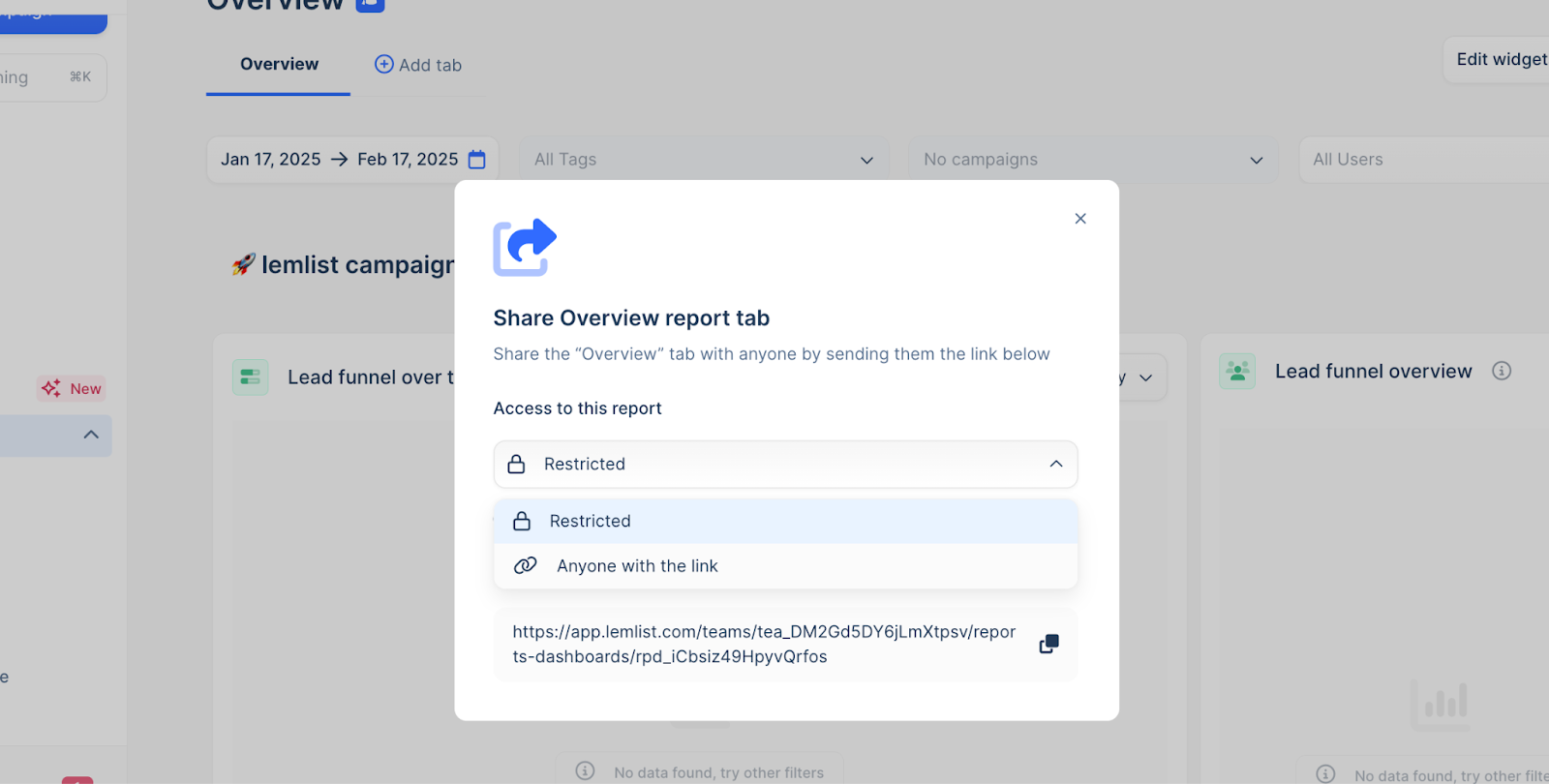
For extra organization, you can use heading and text zones to separate and annotate different sections of your report. And if a widget shows no data, an empty state will let you know that there’s nothing to display yet.
What I especially love about lemlist is its ability to “test and asses”. A/B testing lets you compare two versions of your outreach sequence by splitting your campaign into Version A and Version B.
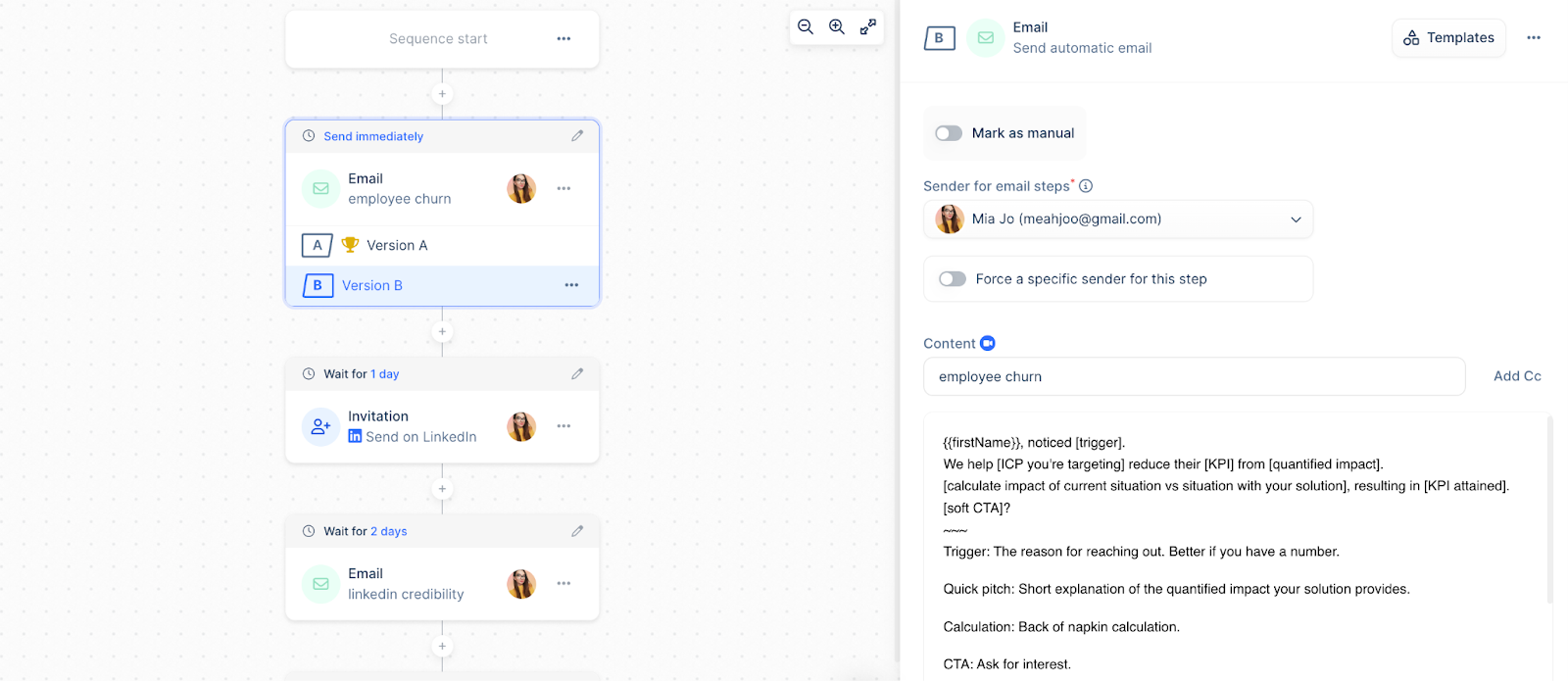
You simply duplicate your initial sequence and tweak elements like the subject line or the order of emails versus LinkedIn messages in one of the copies.
Then, run both versions at the same time and track metrics such as open and reply rates. The variant that performs best becomes your go-to template for future outreach, helping you continuously refine your campaign based on real data.
Lemlist pricing plans
Lemlist offers a free plan, allowing you to find, verify, and export up to 100 email leads or 25 phone numbers per month at no cost.
However, a free package is very basic, lacking many advanced features available in one of the following three packages.
- Email Pro – $69/mo: 3 sending emails/user ($9/mo per extra), free 200 emails or 50 phone numbers/mo, 450M+ leads, unlimited LinkedIn export, campaigns, emails, follow-ups, personalization, CRM integrations, email warm-up, lead monitoring.
- Multichannel Expert – $99/mo: Everything in Email Pro, 5 sending emails/user ($9/mo per extra), free 300 emails or 75 phone numbers/mo, automated LinkedIn, conditioned sequences, call steps (VoIP), multichannel inbox, intents targeting, custom pages, API & integrations.
- Enterprise – Custom pricing (yearly, 5-seat min.): Everything in Multichannel Expert, unlimited guest seats, free 500 emails or 125 phone numbers/mo, custom roles, logs, 1:1 onboarding, account manager, premium support, advanced API & security, yearly commitment.
* the Lemlist free trial of 14 days is available for Email Pro and Multichannel Expert packages.
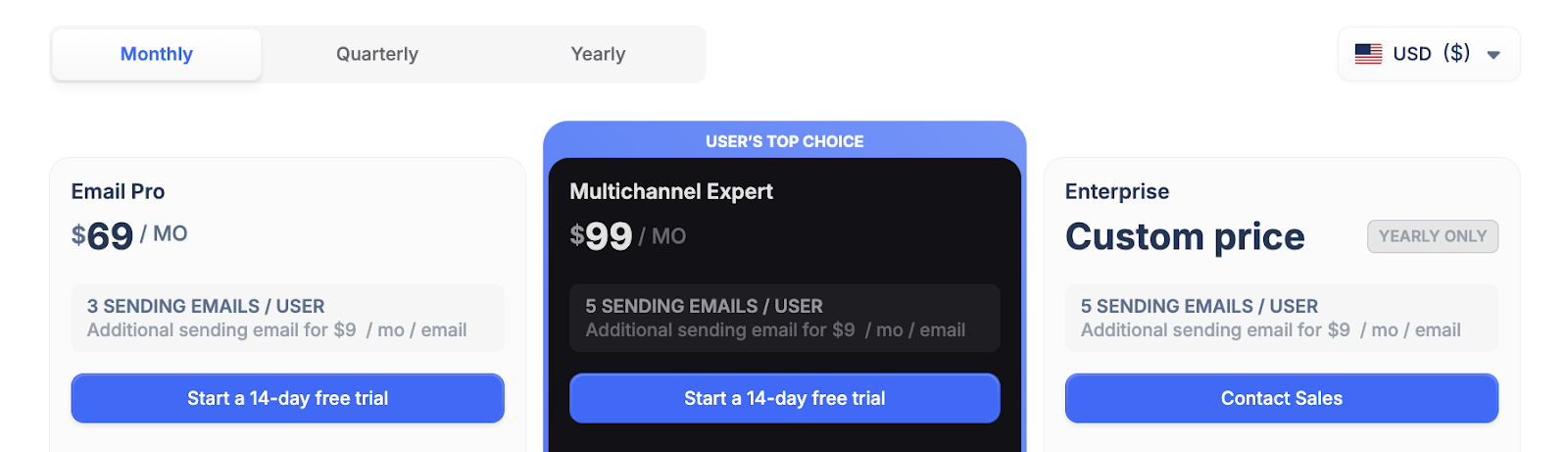
💡 Note: lemlist only includes LinkedIn sequences in its Multichannel expert and Enterprise plans, and as we can see, it’s pretty pricey – not really a fit for smaller agencies, SMBSs and startups on a budget.
Lemlist reviews
G2 reviews highlight solid features, automation, and easy multi-channel outreach, including LinkedIn and email integration.
On the other hand, some users think it’s pricey, and others run into bugs and technical issues that disrupt their workflow. Power users say the platform gets less intuitive as they dive into more advanced features.
Despite these downsides, the overall rating for Lemlist stays high at 4.5/5. Users still find it pretty valuable for scaling their outreach efforts.