
What is DataBox?
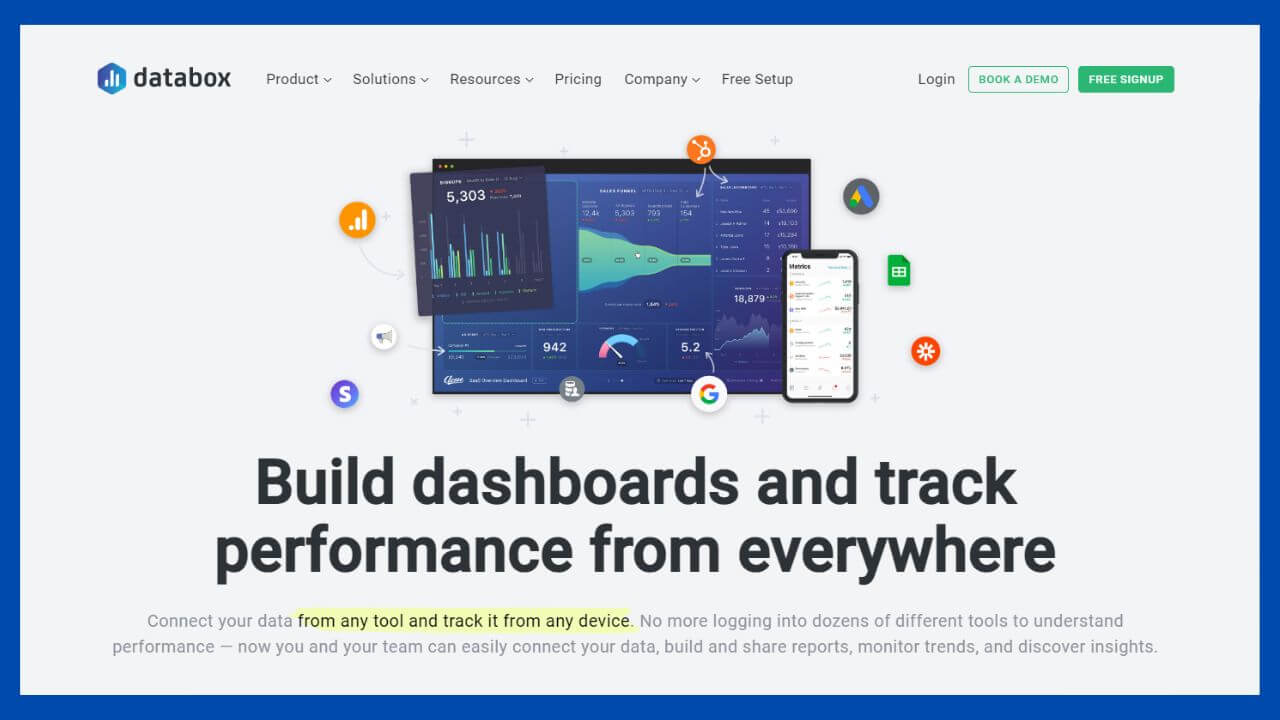
Databox is an embeddable analytics tool that connects data from multiple sources to visualize data insights in real time. It lets users visualize KPIs easily in an interactive dashboard. It comes with 200+ pre-built templates, all of which can be customized using its dashboard designer. Set goals and track performance anywhere, from any device. Scorecards, alerts and notifications help users stay updated on their metrics.
Its metric screen gives a complete picture of sales, marketing and overall performance, increasing collaboration between different teams. It also includes query building, white labeling, looped dashboards, scheduled snapshots, annotations and insight notification.
Benefits and Insights
Why use DataBox?
Key differentiators & advantages of DataBox
- 360° View of Data: Pull and combine data from multiple sources to create a central repository of data, getting a holistic view of data at a glance.
- Data-Driven Decisions: Keeps track of important business data by visualizing them seamlessly in a dashboard without navigating through multiple platforms, enabling businesses to focus on KPIs that matter and make data-driven decisions. Reports and alerts ensure no data insight is missed. Adding notes in dashboards further contextualizes data insights.
- Ease of Use: Easily connect and visualize data in a dashboard using its intuitive drag-and-drop UI. Add, remove, resize and reorder data blocks with ease and make custom queries, all without a single line of coding. Dashboards can be tagged and organized for easier discovery.
- Increase Visibility: Having a single source of truth means everyone’s viewing and working with the same insights, increasing visibility and company-wide collaboration.
- Control Data Access: Access to dashboards can be restricted based on roles and teams.
- Identify Trends: Visualizing performance enables users to identify different trends and draw correlations between two or more metrics.
- Create Targeted Campaigns: Segment and view audiences according to different criteria such as geographic locations or the amount of traffic they generate, enabling the creation of targeted campaigns.
- Troubleshooting: Enables proactive troubleshooting with real-time alerts whenever something out of pattern is observed.
- Embeddable: Get data insights on any page by embedding dashboards with an URL, making it a part of the workflow.
- Extensive Integrations: Seamlessly connect to data from a multitude of sources using more than 70 one-click integrations. Conversely, connect a SQL database, Google sheets or send data through its API and SDKs in minutes.
- Monitor Data Anywhere: Dashboards can be viewed with ease from desktops, laptops, TVs, mobile apps and Apple watches, and they are automatically optimized to fit the screen.
Industry Expertise
Databox serves industries of all sizes, such as marketing, IT, SaaS, e-commerce, advertising, real estate and management consulting.

Key Features
- Data Visualizations: Organize and visualize user data with pre-configured or custom visualizations, such as lines, heatmaps, pie charts, tables, number blocks, gauges and graphs. Pick from different time intervals to compare performance, add trend lines and averages.
- Dashboard Designer: Pull data from multiple sources and drag-and-drop to easily visualize KPIs in a dashboard. Resize, delete or move data blocks around with ease, while encompassing blocks are resized to make room. Dashboards are optimized to fit any screen.
- Query Builder: Build custom metrics with an array of different dimensions and filters to get an in-depth view of company data using this UI-based tool. Pull and compare historical data and get a segmented view of specific performances without the need to learn any query languages.
- Data Calculation: Adds, substracts, multiplies and divides data from multiple sources to calculate ROI, conversion rates, return on ad spend, customer acquisition cost and numerous other metrics with its built-in calculator. These can be previewed and tracked like any other metrics.
- Goal Setting: Set, track and assign goals for specific metrics at selected intervals.
- White Labeling: Create and present custom branded reports and dashboards. Web and mobile apps can be white labeled as well.
- Scorecards and Alerts: Get scorecards on specific metrics at regular intervals. Get alerts when predetermined triggers are met or if goals are not being met. Choose to get alerted on related metrics.
- Annotations: Give context to metrics by adding thoughts and observations as texts or images directly into dashboards. Teams can see, react and respond to comments, increasing collaboration.
- Insight Notifications: A Facebook notification-like reverse chronological stream of updates that shows alerts, goals, annotations, scorecards, activity, new integrations and recommendations.
- Scheduled Snapshots: Schedule snapshots at selected intervals to use them later.
- Looped Dashboards: Create a series of dashboards to view and slide through data insights via a browser or TV.
How Much Does Databox Cost?
Databox offers four plans that are priced based upon the number of data sources you integrate, and the number of dashboards you want to create.

How to Create a Databox Report
Creating reports in Databox is extremely simple and does not require the ability to code. You can create numerous dashboards in Databox in two simple steps.
Step 1: Connect a Data Source to Databox
The first step to create a report in Databox is adding a new data source. As you can see in the image below, Databox has pre-built integrations with over 70 data sources. To add a new data source, simply find the right external tool and click its logo. Databox will then walk you through the steps of integrating the data source.

Step 2: Create a Databox Databoard
Once you’ve connected your data source, the next step is to create your databoard, or report. To do this, you navigate to the databoard section of the tool and click the “New Databoard” button. Databox allows you to use pre-built report templates, or build your own report from scratch.
Databox has pre-built datablocks for each integration. These are the metrics that you can use to populate your report. For example, the Ahrefs integration comes with datablocks for backlink count, new backlinks, linking domains, and Ahrefs rank. You can customize your report with these datablocks using Databox’s drag-and-drop editor.
Here’s what the databoard editor looks like:

Limitations
Some of the product limitations include:
- Limited visual customization.
- White labeling requires the business plan.
- Limited dashboard types available.
Conclusion
Measuring your SEO performance is complicated. You need to track your organic search performance, backlink profile, keyword rankings, and technical website performance.
Fortunately, Databox has integrations with most of the popular SEO tools, and allows you to create clean, digestible dashboards with one click. Even better, Databox offers a free plan that you can use to create three reports that provide necessary insight into your SEO performance. While you aren’t able to drill down into Databox reports, and more complex reports require a paid subscription, we believe these free reports are a fantastic option to improve the way your company evaluates its SEO performance.