
If you are seeking a tool to make YouTube more effective and help your channel reach thousands of visitors on YouTube, you have come to the right place.
- Looking for keywords with low competition and high volume?
- Discover the keywords used by your competition.
- Create professional Thumbnail images to make your videos more attractive
The tool is called TubeBuddy, which most of the successful YouTube content creators welcome. Whether you are a beginner or an expert YouTuber, without this tool, then you’re one step away from success.
What is TubeBuddy?
First and foremost, TubeBuddy is a free channel management and browser addon. It will audit and improve the growth of your channel from the ground up. Furthermore, more than one million YouTube users have trusted in this tool. It’s YouTube-approved, so there’s no cause for concern.
Supporting devices:
You can able to install and use TubeBuddy on
- Chrome browser
- Firefox browser
- Safari browser
- Microsoft Edge (coming soon…)
- Android and iPhone
20+ Top TubeBuddy Features
Honestly, it would take about a day to explain the advantages of all TubeBuddy’s capabilities. Therefore, I will provide a list of 20+ valuable features and then describe the most important features in detail.

- Competition Keyword Finder: This tool assists you in finding “the keywords used by your competitor.”
- COPPA Center: According to YouTube’s new criteria, the created for Kids channels are subject to numerous restrictions. If you fail to correctly indicate this on your video, you will suffer severe consequences. Therefore, TubeBuddy helps to scan and identify if a movie is intended for children or not.
- Keyword Explorer: One of the best advantages of TubeBuddy is the ability to locate keywords with a large search volume and low competition.
- SEO Studio: YouTube search engine ranking is somewhat difficult. In order to rank the videos, SEO studio optimizes the title, description, and tags.
- Rank Tracking: To analyze and track video SEO efforts. In addition, it is useful to compare your keyword ranking to that of your competitors.
- Video A/B testing: It will determine the type of your title that generates the most clicks. Therefore, you can apply the same aesthetic to all of your films to increase traffic.
- Bulk Processing: Enabling bulk processing enables you to quickly modify thousands of end-screen templates, titles, and descriptions, among other things.
- Tag Lists: Are you bored with storing the same keywords in notepad and missing them while uploading a video? Don’t worry. This tool brings you a “Tag List” option, which manages and stores the keywords in a specified list.
- End Screen Templates: Are you sick of adding end screens to all of your videos? Then, create the template and add it to each video in only seconds.
- Publish to Facebook: Publish films directly to Facebook from the YouTube interface. Integration of social networks is simple.
- Arrange Playlists: It allows you to arrange playlists in order of video engagement level. Therefore, it boosts the number of video views.
- Sunset Videos: If you want to change the video’s privacy into “Private” or “Unlisted” in the future, then you can schedule it here.
- Custom Thumbnail: Thumbnails bring you more video clicks. Instead of using a third-party application to create attractive thumbnails, this tool has an in-built thumbnail template creation feature.
- Video Topic Planner: Suggests topic-related videos that are relevant to the existing videos on the channel. In other words, providing inspiration for subsequent videos.
- Card Templates: Similar to the end screen template, you may construct a card template to help videos run smoothly
- Canned Response: Usually, videos get the same kind of comments. But we need to reply to every comment to satisfy the audience. For that and to save time, use canned response predefined template options.
- De-monetization Check: It will audit and identify demonetization keywords in your channel’s title, description, and tags. This function increases your earnings.
- Translator: It can translate video titles and video descriptions into other languages.
- Videolytics: Obtain the insights and analytics of any desired video. (Especially your competitor videos).
- Channel Backup: As a precaution, TubeBuddy stores all channel metadata in CSV format.
- Channelytics: You can compare and study your channel against the channels of your competitors and other channels.
- Share on Twitter: Share videos directly from YouTube to Twitter, complete with a thumbnail.
- Suggested Tags: Not only does it display searched keyword tags, it also displays suggested tags. In addition, it will propose relevant and popular keyword tags for improved ranking.
- And many more interesting things..
Step by Step Guide to Install TubeBuddy Extension [Chrome]
Follow the steps below if you wish to install it for the Chrome web browser.
Step 1: Go to TubeBuddy.com
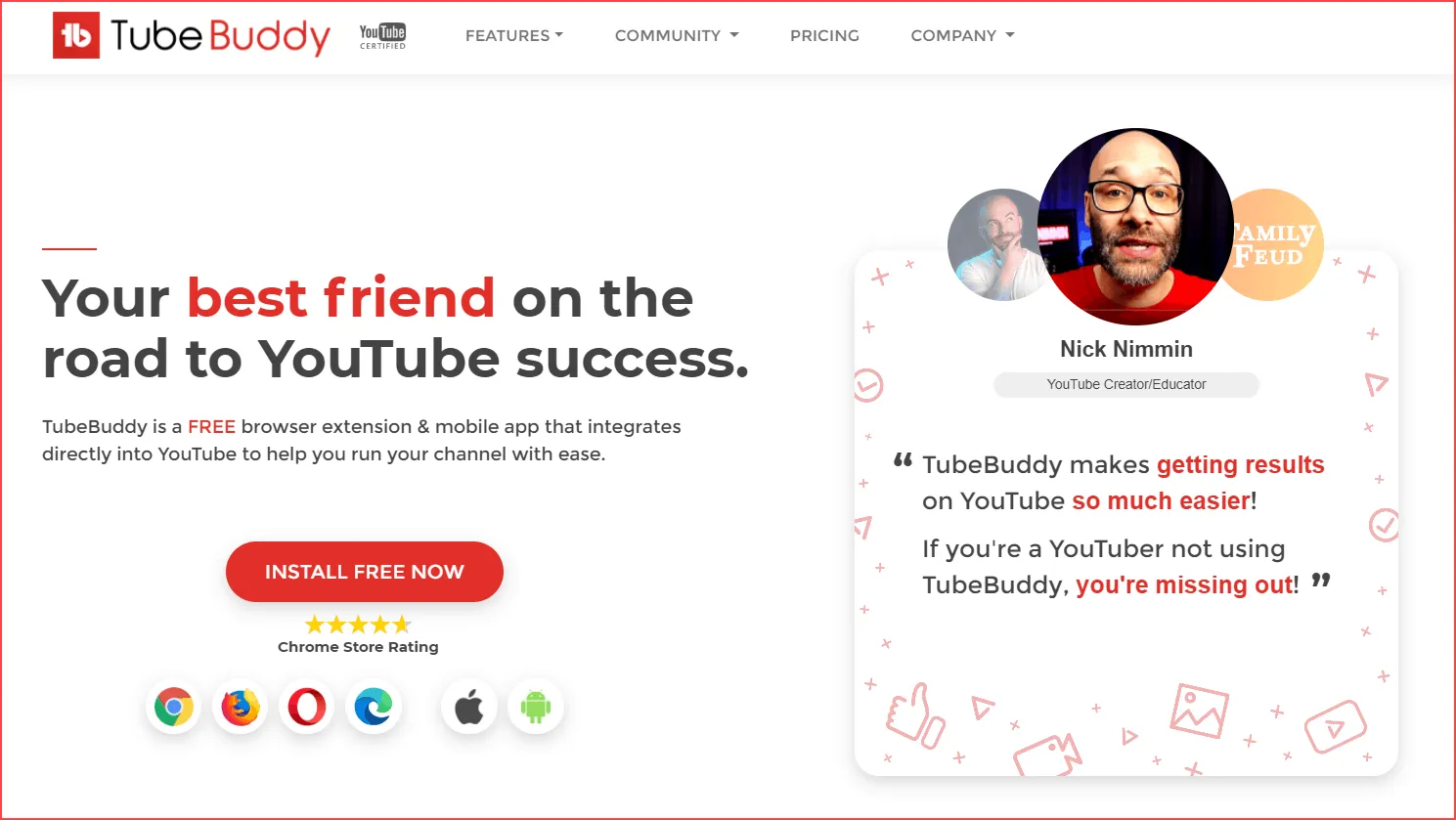
Click this link to visit the TubeBuddy homepage and then click “Install Free Now.“
Step 2: Add Extension
Now, you must click the “Add to Chrome” button on the extension’s page.

Downloading will begin at the bottom; after downloading, browse YouTube.
Step 3: TubeBuddy Icon
A Chrome browser extension may be added, and a TubeBuddy icon will display in the top row of YouTube. View the image below for reference.

Even though the channel is already “logged in” on YouTube, clicking this button necessitates a login for verification purposes.
Step 4: Sign in
Click the “Sign in with YouTube” button at a later time. Thus, you may access TubeBuddy from within the YouTube interface. It is quite nice, no?

Likewise, Allow TubeBuddy to access your YouTube analytics and manage your YouTube account.

Step 5: Installed TubeBuddy
Consequently, you successfully installed TubeBuddy and logged in to your channel. Consequently, click the TubeBuddy icon and use its free functions.

Install TubeBuddy Extension for Firefox
Want to install the TubeBuddy extension for Firefox? then follow the instructions below. Start by launching the Mozilla Firefox web browser.
Then, click this link to access the Firefox browser extensions website. (Refer to the image below.)

Now, click “Add to Firefox” and you will be prompted to allow TubeBuddy on your Firefox browser. Just permit it.
Visit YouTube, sign in, authorize TubeBuddy to manage your channel, then use the application. That is it. TubeBuddy was successfully installed on your Firefox web browser.
Pricing
Regarding cost, nothing is more affordable than the TubeBuddy Keyword Explorer Tool addon. For the convenience of the consumer, tube buddy has created three distinct packages with a 30-day money-back guarantee. To access all of tubebuddy’s features, you must purchase a license. See details below.
- TubeBuddy Pro comes which costs $7.20 per month, is missing the Scheduled Publish and Scheduled Video Update functions.
- TubeBuddy Star comes costs $15.20 per month and includes almost all premium features of Tube Buddy, except Auto Translate, Tags Translate, and Video A/B Test, as well as a restricted number of search rank tracking options.
- TubeBuddy Legend comes is available for $39.20 per month with no restrictions and includes all elements of the tube buddy SEO studio full edition.
FAQ’s
Conclusion
TubeBuddy provides many free features for beginner YouTube users. As previously stated, if you are a beginner YouTuber, opt for the free version first.
I hope TubeBuddy Extension is installed on your chrome or firefox browser. If you have any questions regarding my TubeBuddy review or want to offer your thoughts on the platform, please let TubeBuddy know in the comments below. If you liked this article, please share it on Pinterest.